
Screenshots
App details
- Updated
- Dec 30, 2011
- Language
- Spanish,English,French,German,Italian
- Category
- Mobile
SoftPas in:
This product is also available in the following languages:
About UnThreat - Internet Security 2012
Download UnThreat - Internet Security 2012 – antivirus, internet security, anti-spyware, malware protection, firewall, virus scanner, computer security, safe browsing, online protection, data privacy
Overview
UnThreat - Internet Security 2012 is a security-focused software solution designed to protect desktop systems from a range of digital threats, including viruses, trojans, spyware, and malicious network activity. The application targets users who prioritize digital safety, particularly those who frequently use public or unsecured Wi-Fi networks. Its core purpose is to provide a layered defense system that safeguards sensitive data, ensures secure browsing, and maintains the integrity of the user’s computing environment.
Designed with both novice and experienced users in mind, the software offers real-time protection and intuitive navigation, minimizing the learning curve associated with advanced security tools. The inclusion of a 'road warrior' mode highlights its focus on mobile professionals and frequent travelers who rely on laptops and portable devices. This feature specifically enhances protection when connecting to potentially unsafe networks, reducing the risk of data interception or unauthorized access.
Although the developer, UnThreat Software, is listed, no additional background or company history was provided. The application was released in December 2011, placing it in a period when cybersecurity threats were rapidly evolving. Despite its age, the software remains relevant in discussions about foundational security practices. Its presence in the security ecosystem underscores the ongoing need for proactive threat detection, privacy protection, and system integrity maintenance.
Key Features & Functionality
- Road Warrior Protection: This specialized mode strengthens network security when using public or untrusted Wi-Fi. It dynamically adjusts firewall and monitoring settings to reduce exposure to man-in-the-middle attacks and unauthorized access attempts.
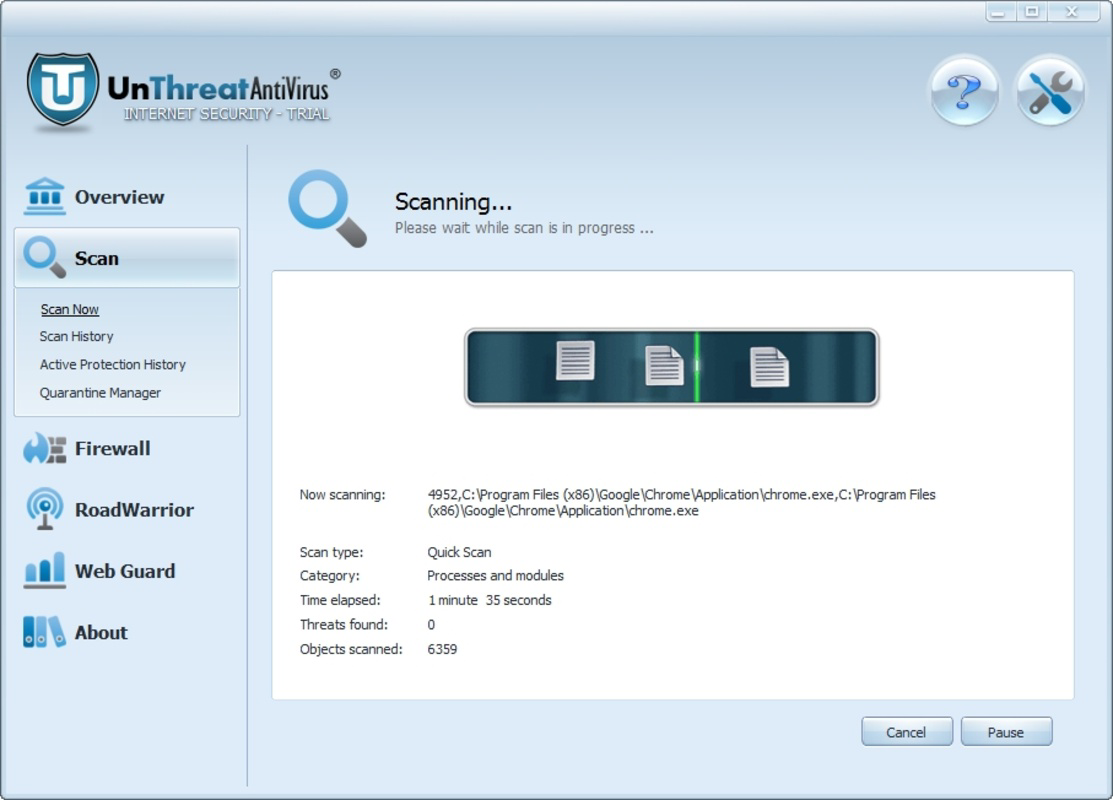
- Real-Time Monitoring: The software continuously scans files, folders, and system processes for suspicious behavior. If anomalous activity is detected, the system immediately triggers alerts and applies protective measures to prevent potential damage.
- Anti-Spyware Filter: An integrated filter actively identifies and blocks spyware before it can collect personal data, keystrokes, or browsing habits. This layer is essential for preserving user privacy and preventing long-term data exploitation.
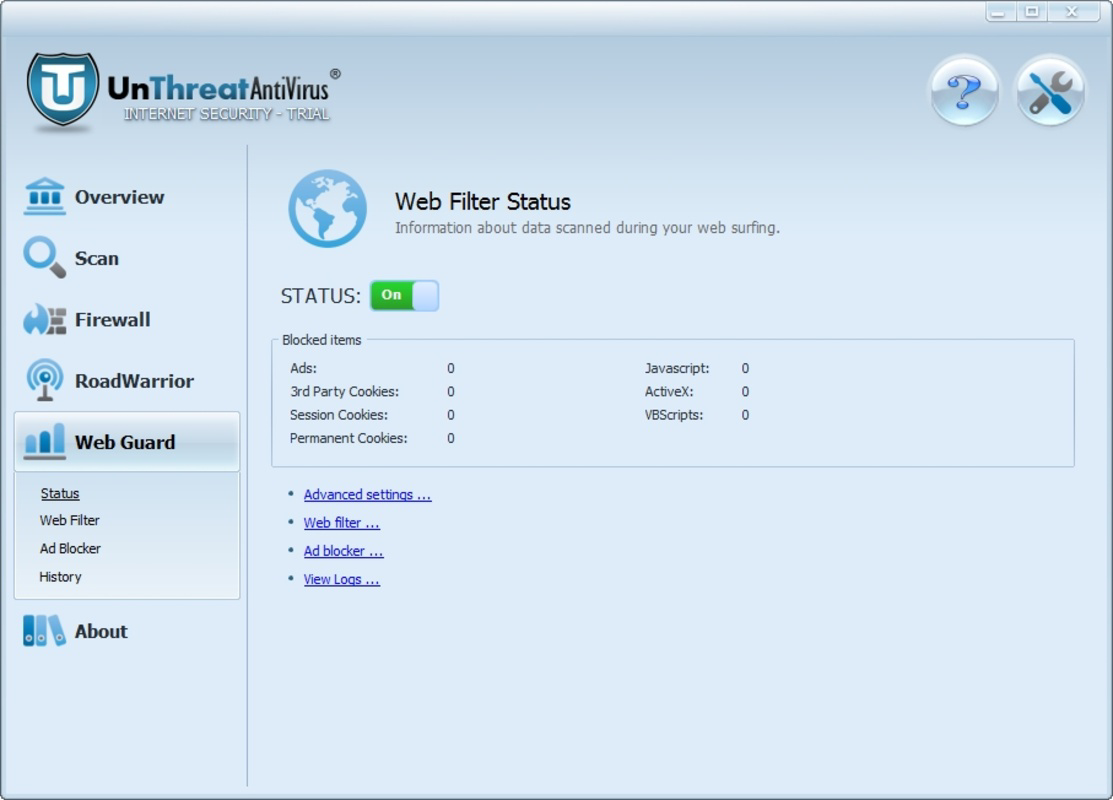
- Email and Web Protection: The tool monitors incoming and outgoing emails and web traffic, analyzing links and attachments for phishing attempts, malware, and other cyber threats. This helps users avoid deceptive websites and malicious payloads.
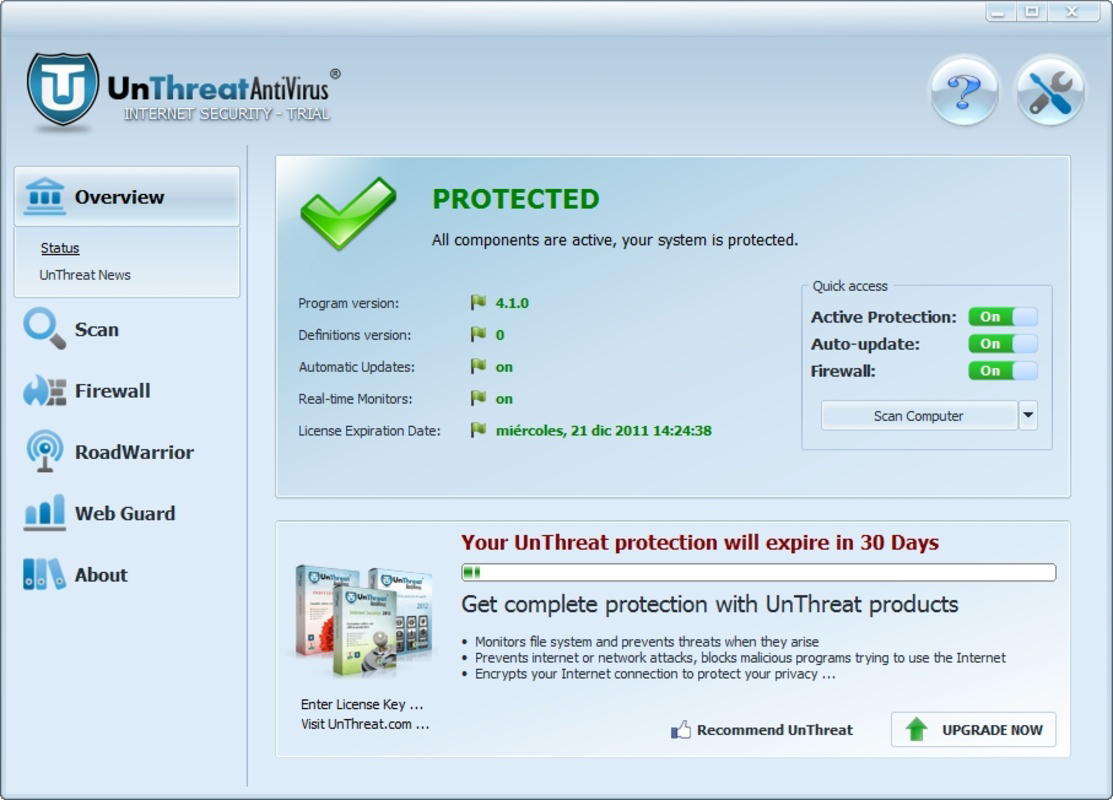
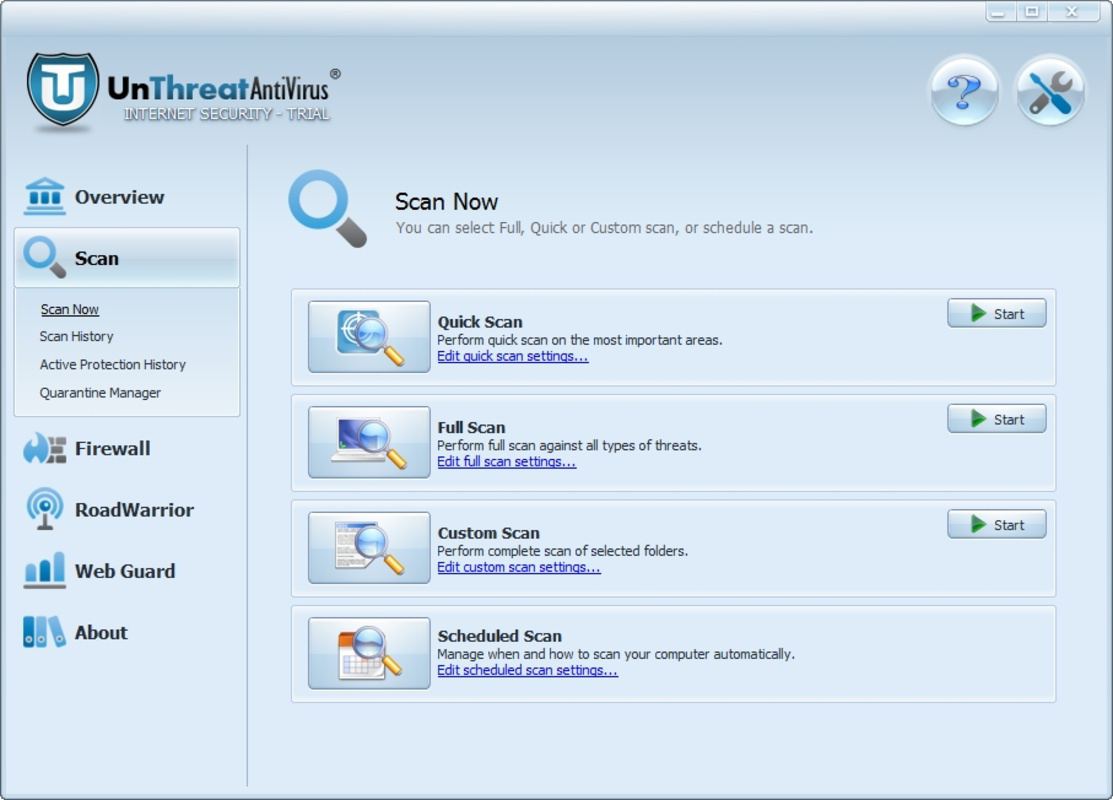
- User-Friendly Interface: The design emphasizes simplicity and accessibility, allowing users to navigate settings, run scans, and review security status without technical expertise. This reduces user fatigue and encourages consistent use of security features.
For example, a business traveler using a coffee shop’s Wi-Fi can enable Road Warrior mode to ensure their email and financial transactions remain secure. Similarly, a home user concerned about data privacy can rely on the anti-spyware filter to block background data collection. These features collectively create a robust defense framework tailored to real-world digital risks.
Interface, UX & Performance
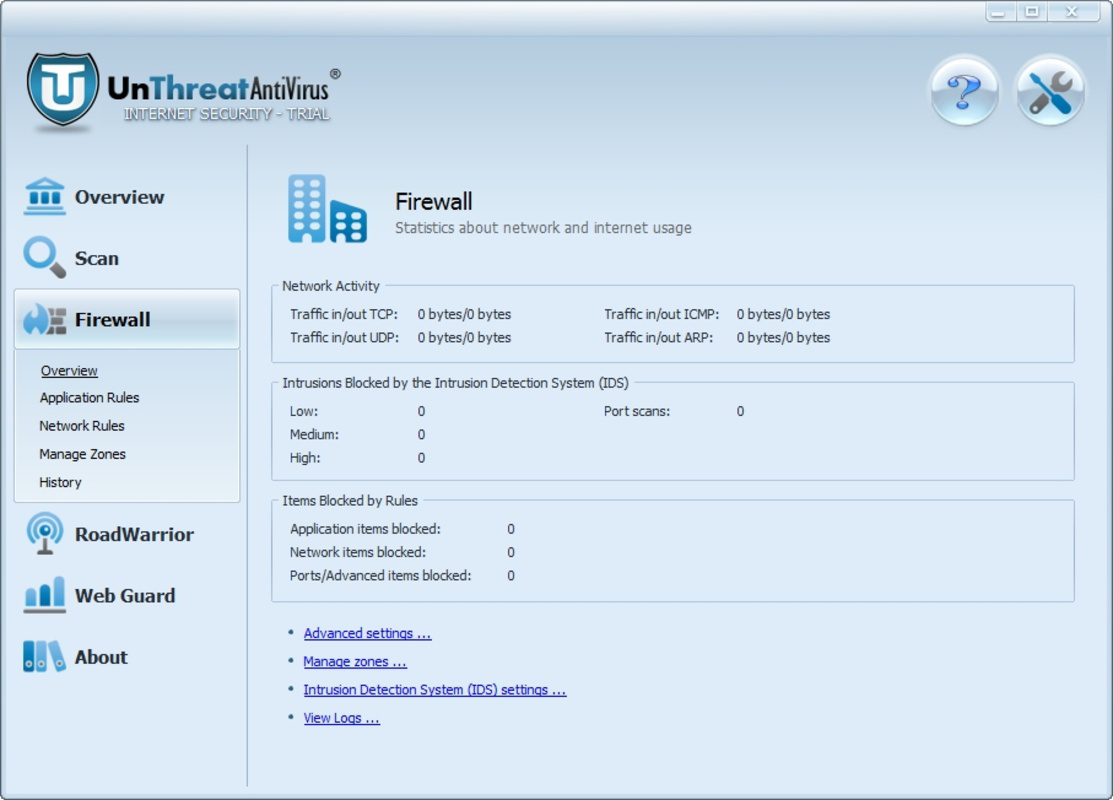
UnThreat - Internet Security 2012 features a clean, organized interface that prioritizes clarity and usability. Navigation is structured through a central dashboard that displays real-time security status, recent scan results, and active protection modules. The layout is intuitive, with clearly labeled icons and menu options, enabling users to access core functions without confusion.
Interaction flow is straightforward: users can initiate scans, review threat logs, adjust settings, and monitor protection status with minimal clicks. The design avoids clutter, focusing on essential tools and minimizing distractions. This contributes to a low cognitive load, which is particularly beneficial for non-technical users.
Although the developer did not list formal performance metrics, the application’s 120 MB file size suggests a lightweight footprint. It is expected to operate efficiently on systems with moderate hardware specifications. Responsiveness is likely consistent across mid-range and older Windows machines, though performance may vary depending on background processes and system configuration. Stability appears to be a priority, as the software is designed for continuous operation without frequent crashes or freezes.
Platform Compatibility & Technical Requirements
UnThreat - Internet Security 2012 is designed for the Windows operating system. The software is compatible with Windows platforms released around the time of its 2011 release, including Windows XP, Vista, and 7. Specific minimum OS requirements were not listed by the developer.
The application has a file size of 120 MB, which is relatively compact for a security suite. This suggests efficient resource usage and faster installation times. No additional hardware or peripheral requirements were specified. The software version is 1.0, indicating it was the initial release. It is not available on mobile platforms such as Android or iOS, as the developer did not indicate cross-platform support.
Pros and Cons
Pros
- Specialized 'road warrior' mode for enhanced protection on unsafe networks
- Real-time monitoring reduces the risk of undetected threats
- Anti-spyware filter helps maintain user privacy and data confidentiality
- Intuitive interface suitable for users of all experience levels
- Comprehensive protection across email, web, and file systems
Cons
- Released in 2011; may lack support for modern threats and system architectures
- Not available on mobile platforms such as Android or iOS
- Developer did not provide detailed technical specifications or compatibility information
- Version 1.0 suggests limited feature updates or ongoing development
- Price point of $49.95 may be considered high for an outdated product
FAQ
Is UnThreat - Internet Security 2012 safe to install?
Yes, the software was released by a known developer and does not contain any known malicious components. However, users should ensure they download it from official or trusted sources to avoid counterfeit versions.
Can I use UnThreat on older Windows systems?
Yes, the software was designed for Windows platforms available around 2011, including Windows XP, Vista, and 7. Specific compatibility details were not provided, but it is likely to function on systems within that era.
Does UnThreat support mobile devices?
No, the application is only available for Windows desktop and laptop systems. There is no official support for Android or iOS devices.
Is the software regularly updated?
As version 1.0 was the initial release and the software was released in 2011, there is no indication of ongoing updates or security patches. Users should be cautious about relying on it for current threat protection.
How does the 'road warrior' mode work?
It enhances network security when connecting to public or untrusted Wi-Fi networks. It activates stricter firewall rules and real-time monitoring to prevent unauthorized access and data interception.
Final Thoughts
UnThreat - Internet Security 2012 offers a focused, user-centric approach to computer protection, particularly for users who frequently connect to public networks. Its real-time monitoring, anti-spyware filter, and specialized 'road warrior' mode provide tangible benefits for those concerned with data privacy and online safety. While the software’s age and lack of modern updates are notable limitations, its core functionality remains relevant in understanding foundational security principles.
For users on older Windows systems who need a lightweight, easy-to-use security tool, it may still serve as a functional option. However, modern alternatives with active development, cloud-based threat intelligence, and broader platform support are generally recommended for current digital environments.
Download UnThreat - Internet Security 2012 now
Guides & Tutorials
How to install UnThreat - Internet Security 2012
- Click the Download button above.
- Once redirected, accept the terms and click Install.
- Wait for the UnThreat - Internet Security 2012 download to finish on your device.
How to use UnThreat - Internet Security 2012
This software is primarily used for its core features described above. Open the app after installation to explore its capabilities.
User Reviews
No reviews yet. Be the first to share your experience.
You may also like
more
Que no te pillen¡
About !Que no te pillen¡Reviewed by Jason A. BilbreyShow MoreShow Less

3D Combat Zone
About 3D Combat ZoneOriginally released in 1983, 3D Combat Zone immerses players...

666: El día del portal
About 666: El día del portalOn June 6, 2006, Agent P. Stone uncovers a sinister...

80 in 1 Best Flash games
About 80 in 1 Best Flash games 80 in 1 Best Flash games is a collection of 80 fl...

ABYSS SEEKERーーWhat Do You See Deep in The Abyss
About ABYSS SEEKERーーWhat Do You See Deep in The AbyssIn ABYSS SEEKER, players...

ACA NEOGEO THE KING OF FIGHTERS 2002 for Windows
About ACA NEOGEO THE KING OF FIGHTERS 2002 for WindowsTHE KING OF FIGHTERS 2002,...